Category: Sales & Customer Experience

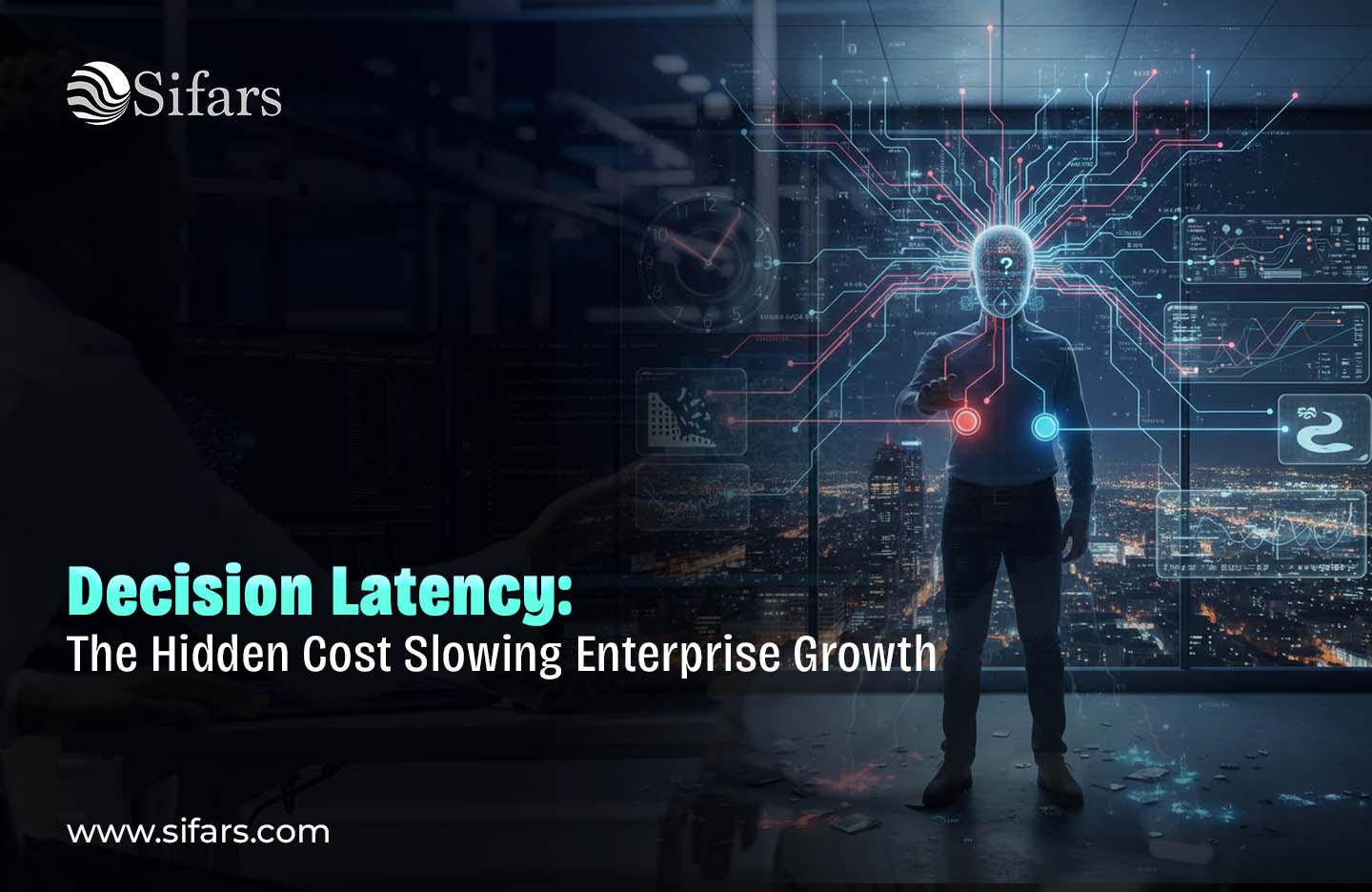
  • The Silent Bottleneck: How Decision Latency Hurts Enterprise Performance

    The Silent Bottleneck: How Decision Latency Hurts Enterprise Performance

    Reading Time: 5 minutes

    Most companies blame performance problems on things that are easy to see, such as not enough resources, slow teams, old technology, or pressure from the market. To boost productivity, leaders spend a lot of money on people, tools, and infrastructure.

    Still, a lot of businesses feel that they’re moving too slowly.

    It takes longer to start projects. Chances pass you by. Teams are always busy, but it seems like development is slow instead of fast. A lot of the time, the problem isn’t effort or aptitude; it’s something much less evident and far more harmful.

    It’s the time it takes to make a decision.

    Decision latency is the period that goes by between when information is available and when a choice is really made. At first, it doesn’t look like a system breakdown or a missed deadline. Instead, it builds up gradually across teams, approvals, and levels of leadership, which slows down execution and makes the organisation less flexible.

    Decision delay becomes one of the most expensive problems for businesses over time.

    How Decision Latency Looks in Real Businesses

    Decision latency doesn’t normally show up as a single breakdown. It becomes increasingly clear as businesses become more complicated.

    You might see it when:

    • Even when they have all the information they need, teams have to wait days or weeks for approvals.
    • Different people look at the same decision without being able to hold anyone accountable.
    • We hold meetings to “align” on things we’ve already talked about.
    • Leadership requires more proof before making decisions, so they are put off.
    • Action is put off until the “perfect” information comes in.

    None of these cases seem really serious. They seem sensible, even responsible, when looked at alone. But when they work together, they always slow down execution.

    The group isn’t sitting around. People are putting in a lot of effort. But moving forward seems weighty, slow, and broken.

    Why it takes longer to make decisions when companies grow

    As businesses get bigger, it gets harder to make decisions, but the speed at which they make decisions typically goes down even more. There are a few structural reasons why this happens.

    Broken-up Information

    Businesses today have a lot of data, but it’s not really clear. Dashboards, CRMs, ERPs, spreadsheets, emails, and internal tools all save information. People who make decisions spend more time checking data than using it.

    Decisions stop when leaders aren’t sure that what they see is complete, up-to-date, or correct.

    The problem isn’t that there isn’t enough data; it’s that people don’t trust the system that gives it to them.

    Unclear Decision Ownership

    In many organizations, it’s unclear who genuinely owns a decision. There is a lack of clarity about who has authority, but responsibility is shared.

    This results in:

    • Decisions pushing upward unnecessarily
    • Teams waiting for approval instead of acting
    • Leaders are getting in the way of operational decisions.

    When ownership isn’t apparent, decisions don’t move forward—they circulate.

    Risk-Averse Processes

    Enterprises often add layers of inspection to decrease risk. Over time, these layers accumulate: legal checks, compliance assessments, executive sign-offs, cross-functional alignment sessions.

    These safety measures can make things riskier by making it harder to respond quickly to changes in the market, customer needs, and problems within the company.

    Speed and control aren’t the same thing, but bad processes can make them feel that way. 

    The Unseen Cost of Making Decisions Slowly

    Decision latency doesn’t show up on financial accounts very often, but it has a big effect that can be measured.

    It leads to:

    • Missed chances in the market
    • Launching products and features more slowly
    • Higher costs of doing business
    • Teams that are angry and not involved
    • Leadership that reacts instead of planning ahead

    Employees spend more time making updates, presentations, and justifications than doing work that matters. The momentum slows down, and it gets tougher to keep growing.

    In marketplaces where there is a lot of competition, the cost of waiting to make a decision is generally more than the cost of making a bad one.

    Why More Tools Don’t Speed Up Decision-Making

    Many companies add technology, like new analytics platforms, reporting tools, workflow software, or AI-powered dashboards, when decision-making slows down.

    But just having tools doesn’t speed up decision-making.

    When decision rights aren’t clear, approvals aren’t in line, or workflows aren’t well thought out, technology just makes the delay worse. Dashboards make the problem easier to see, but they don’t fix it.

    In some circumstances, extra tools slow things down by adding:

    • More information to look over
    • More reports to match up
    • More systems to look at before doing something

    Speed of decision-making only gets better when systems are built around how decisions are actually made, not how data is stored or tools are sold.

    Decision latency is an issue with the workflow.

    Decision latency is really a workflow problem, not a deficiency in leadership.

    There is a path for every choice:

    • Making information
    • It goes from one team or system to another.
    • Someone looks at it
    • An action is either approved or denied.

    When this path is unclear, broken up, or too full, it takes longer to make decisions.

    High-performing businesses plan out these decision flows on purpose. They want to know:

    • Who needs this data?
    • When do you need it?
    • Who has the power to make the decision?
    • What happens right after the choice?

    When you plan workflows with decisions in mind, speed naturally follows.

    How High-Performing Businesses Cut Down on Decision Latency

    Companies that want to move swiftly without losing control focus on making things clear and designing systems.

    They:

    • Make it clear who is responsible for making decisions at every level.
    • Cut down on superfluous levels of approval
    • Make sure that strategic decisions are different from operational ones.
    • Give people information that is rich in context right when they need it.
    • Get rid of reports and steps that don’t lead to action.
    • They don’t tell teams to “move faster.” Instead, they get rid of things that slow them down.

    The consequence isn’t quick choices; it’s timely, confident action.

    What UX and System Design Do

    It’s not only about reasoning when it comes to making decisions; it’s also about how easy they are to use.

    Decision-makers are hesitant when internal processes are messy, hard to understand, or don’t make sense. Bad UX makes people think more, which means leaders have to figure out what the data means instead of acting on it.

    Systems that are well-designed:

    • Only show relevant information
    • Give context, not noise
    • Make the following stages clear
    • Make it easier to make a decision in your head

    When processes are easy to use, making judgments is easier, and things go faster without stress.

    How fast you make decisions can give you an edge over your competitors.

    In today’s businesses, how quickly something gets done depends more on flow than on effort. When choices are made quickly, teams work together, things get done faster, and leaders can focus on strategy instead of dealing with problems.

    Companies don’t go out of business suddenly because of decision delay.

    It subtly stops them from reaching their full potential.

    Companies that grow successfully aren’t only well-funded or well-staffed; they are also built to make decisions.

    Conclusion

    Doing more work doesn’t always mean doing better.

    It’s about making decisions faster, without becoming confused, having to do things over, or being unsure.

    When decision systems are clear, integrated, and purposeful, getting things done is easy, not hard. Teams move forward with confidence, and growth becomes easier instead of tiring.

    Organizations don’t slow down when people stop working hard.

    They slow down because systems don’t help people make judgments the way they really do.

    If your company feels busy but slow, it might be time to look at how choices move through your processes, not just how work gets done.

    Connect with Sifars today to schedule a consultation 

    www.sifars.com

  • When Legacy Systems Become Business Risk, Not Just Tech Debt

    When Legacy Systems Become Business Risk, Not Just Tech Debt

    Reading Time: 3 minutes

    For most businesses, legacy systems are a tolerable evil. Yeah, they may be slow and old and hard to keep alive, but as long as they work they’re something that gets deprioritized. Leaders often categorize them as technical debt: It’s OK if we handle this later.

    But a time arrives when older systems stop being a technology issue and instead become serious business risk.

    When legacy systems are starting to impact revenue, compliance, security, customer experience and also the ability to scale - it crosses the IT discussion. It becomes a long-term weapon of mass destruction on the organization’s growth/health.

    Legacy Risk: Slow, silent and deadly

    These “legacy” systems don’t often break down in a manner that’s easy to see. Instead, they deteriorate quietly. What used to bolster the business is now constraining it, typically without setting off immediate sirens.

    However, as the company matures, these systems start to creak under the weight of more data, more users and integrations and changing workflows. Minor modifications take weeks instead of days. Teams rely on manual workarounds. Mistakes multiply, but correcting them becomes dangerous because nobody has a full conception of the system anymore.

    A technology becomes, not an enabler of growth, but an at-risk dependency.

    When the Operational Gets in the Way of Performance

    Operational Slowness One of the initial effects of a legacy system will be slowness in operation. Just simple things like reporting, approval, onboarding or updating is time consuming for no reason.

    Product teams are slow to release new features because it could break working code. Operations spends more time fighting fires than they do improving efficiency. The leadership team gets slow or incomplete data, and decision-making becomes reactive rather than strategic.

    In competitive markets, speed matters. Time is now the enemy of the business, it loses momentum, opportunity and market share when its internal systems inhibit the pace of process.

    The Security and Compliance Challenges Can No Longer Be Overlooked

    Legacy systems are almost always built on the frameworks and standard of a by-gone era – one that was never set up to handle the constant onslaught we face every day. Adding patches, ensuring that no vulnerabilities have been introduced or deploying enhancements becomes increasingly challenging.

    Compliance provides another level of risk. The rules of the game are changing fast, but it’s tough for legacy platforms to change with them. Manual compliance workflows get slapped on top which means–you guessed it–error-prone human hands performing audits and running the risk of incurring fines.

    By this point, the price tag of a breach or failure to comply can be significantly greater than what it takes to become current.

    Customer Satisfaction is Extremely Evident Customers ultimately feel the pain and dissatisfaction in very public manner.

    While customers do not get to interface directly with internal systems, they’ve certainly felt the repercussions. Aging infrastructure is often the cause of slow apps, disparate data sets, lag in response time and limited ability online.

    With customer expectations mounting higher and legacy systems as barriers, it is difficult to meet rising demand for fast, seamless and reliable experiences. Customer satisfaction declined over time, churn increased and brand trust deteriorated.

    Something that originally is a limitation in the back end of a system and becomes visible to front-end outlook.

    Talent, Morale, and Innovation Decline

    Modern professionals expect modern tools. Talented engineers, analysts and digital teams don’t want to work on old systems that prevent creativity and learning.

    Current teams are getting burned out on fixing problems instead of creating solutions that matter. Experimentation feels risky on fragile systems and innovation slows. Slowly the institution takes on a culture that is tentative, passive and reluctant to shift.

    And once you lose that momentum, it is very hard to regain.

    The True Cost of “Keeping the Trains Running”

    Replacing legacy systems can feel expensive or disruptive, so many enterprises put off modernization. But what it costs to keep them in place over time is typically much, much higher.

    Hidden costs include escalating maintenance budgets, longer downtimes, expanding support teams, lost productivity, and unrealized growth prospects. The business actually had to reinvest substantial funds just to break even.

    The New Health Care: How to Turn ‘Legacy’ Risks Into Opportunities for Long-Term Resilience

    This sort of thing doesn’t need a total rewrite in one night. Best-in-class organizations are taking a phased, and business-first approach.

    They point to systems that play a role in growth, security or the customer experience. They’re breaking apart mission critical workflows, slowly modernizing architecture, and making data more accessible. This minimizes risk and keeps operations running.

    Modernization can be a strategy investment instead of a disruptive project.

    How Sifars Makes It Easy For Enterprises To Modernize Without Risk

    We help businesses transition from brittle and unsafe legacy environments to reliable, flexible and future-proof systems at Sifars. We are more than a technology refresh—we modernize in support of actual business improvements.

    By simplifying, fortifying and accelerating, we put businesses back in the driver’s seat of their growth.

    Conclusion

    Legacy systems are more than just old technology. Unchallenged, they quietly turn into business risks that affect revenue, security, talent and customer confidence.

    Organizations that understand this early position themselves for long-term advantage. They protect growth, mitigate risk and prepare for the future by viewing modernization as a business strategy, not just an information.

    Is legacy technology now stifling growth or becoming a risk?

    👉 Get in touch with Sifars to make modernization a source of competitive advantage, once again.

  • The Difference Between Automation and True Operational Efficiency

    The Difference Between Automation and True Operational Efficiency

    Reading Time: 3 minutes

    And so a lot of people start off thinking that if you automate it, it is efficient. Automation is a step towards but not synonymous with operational efficiency. In practice, if I have to automate a bad process you just move faster in the wrong direction.

    Operational efficiency is not about doing more stuff faster. It’s about designing systems with work flowing smoothly, with clear decisions that lead to effort being spent where it brings real vale and so forth.

    By separating automation from real efficiency, that insight is important for businesses who want to scale in a sustainable way.

    Why Automation Isn’t Everything

    Automation is about using software to replace manual action. It accelerates data entry, report writing, approvals and notifications. Although less human effort is involved, that doesn’t mean work is organized better.

    No one seems to care that if a workflow is long, messy or unnecessary, automating it only obscures the mess. There are still bottlenecks, handoffs and teams that can’t seem to get things done — they’re just moving half as slowly.

    This explains why lots of automation efforts don’t last the distance. They treat symptoms, not the underlying system.

    What Operational Efficiency Truly Looks Like

    Operational efficiency isn’t just about automating a task. It’s all about reducing friction throughout the whole process.

    A good operation is design around results not actions. Systems are how teams work today, not how things were written up in documents years ago. Even the decisions are faster now because information is coming through at the right time and in context.

    When efficiency is optimized automation happens by osmosis — it’s not the starting point.

    Automation vs. Operational Efficiency – Not Just Semantics Here’s a quick comparison between Automation and Operational Efficiency.

    Automate speed at the task level. Increased skills Training and recruitment are likely to be brought forward; driving a productivity train effect, cutting through the business.

    Automation reduces manual effort. When there’s less running of garbage work, the unnecessary lifting in general is drastically reduced.

    Automation focuses on tools. Operational improvement The operating improvement focus is on systems, behavior (e.g., staff meetings, etc.), and the process of decision making.

    Those companies that merely play at automation tend to experience some initial gains but a lot of frustration later on. They make companies that concentrate on efficiency more resilient and scalable.

    The Hidden Risks of Over-Automation

    Over-automation without re-design can lead to new issues. There is a potential for loss of visibility in the teams. Errors can propagate faster. It is hard to handle an exception in a stiff system.

    In some instances, workers spend more time supervising automation than performing productive work. It is a vicious downward slippery slope of reduced adoption, shadow workflows and lack of system trust.

    Real efficiency mitigates these risks by simplifying before automating.

    It’s easier than ever for businesses to succeed against all odds.

    The successful organizations, they realize how work is flowing across teams. They pinpoint bottlenecks, duplicated effort and superfluous approvals. They’d only use automation deliberately.

    State-of-the-art enterprises prioritize integrated platforms, intuitive user experiences (UX), real-time data access and a flexible architecture. Automation underpins these fundamentals rather than supplanting them.

    The payoff is more fluid implementation, improved decision making and systems that grow without regular handholding.

    How Sifars Makes MIOps Efficient

    We at Sifars enable businesses to move beyond superficial automation, so they can achieve real operational efficiency. We rethink the process, transform legacy, and apply intelligent automation where it adds value.

    Our philosophy is that automation should be a benefit to operations, not an additional source of complexity. It’s not just faster processes they are after — better ones.

    Final Thoughts

    Automation is a tool. Operational efficiency is a strategy.

    Companies who grasp this distinction don’t simply move faster — they move smarter. And by paying attention to how work flows, how decisions are made and how systems support people they build operations that scale with confidence.

    Interested in taking operations beyond automation to true efficiency?

    👉 Contact Sifars for building tools that work just as hard as other teams.

  • The Hidden Cost of Slow Internal Tools on Enterprise Growth

    The Hidden Cost of Slow Internal Tools on Enterprise Growth

    Reading Time: 3 minutes

    When organizations do speak of growth challenges, the focus tends to be outward-facing — market competition, customer acquisition or pricing pressure. What’s less visible is a much quieter problem occurring within the organization: slow, outdated internal tools.

    They don’t manifest themselves in a single line item on a balance sheet. They don’t trigger immediate alarms. But eventually they slowly drain productivity, delay decisions, frustrate teams and hold back growth much more than most leaders ever recognize.

    Enterprise growth knows no bounds in a digital first economy, no longer hinged on ambition or ideas. It is only as good as its internal systems work.

    Why Internal Tools Matter Now More Than Ever

    Today’s companies rely on proprietary software for everything from operations and sales, to HR and logistics. When these systems are sluggish, disconnected and difficult to use, no one on your team feels the effects more than that team itself.

    Employees waste time looking for things, rather than getting work done. The basic things are done through the multiple steps/ approvals/manual workarounds. Data resides across disparate tools, causing teams to switch contexts repeatedly throughout the day.

    These individual battles may look like small ones. Together, they generate huge friction that accelerates at scale.

    The High Price of Slow Internal Tools

    Slow internal tools hinder more than just efficiency — the entire growth engine of a company is effected.

    1. Quickly Adds Up to Lost Productivity

    When applications fail to load or processes are unclear, employees waste hours every week waiting for pages to load, looking for data or fixing preventable errors. Over hundreds or thousands of employees, this amount to thousands of unproductive hours lost every month.

    1. Slower Decision-Making

    Decision makers need the right information at the right time. When dashboards are stale, reports are manual and insights take days to put together, decisions get delayed — or worse, made based on incomplete information. Growth doesn’t decline from bad leadership so much as it is limited by systems that can’t handle the pace.

    1. Rising Operational Costs

    Slow tools typically force companies to make up for the loss with humans. More hand work is folded in, to control things that ought to be automated. With time, costs go up but output does not improve in quality or quantity.

    1. Declining Employee Experience

    Talented professionals expect modern tools. Their frustration boils over when they’re forced to deal with clunky systems. Engagement goes down, burnout goes up, and retaining high-performing employees gets more difficult — particularly in tech and operations.

    1. Limited Ability to Scale

    Whatever works for mammals at a smaller scale is often broken on the way up. Systems of the past battle with more and more data, users and transactions. Rather than facilitating growth, internal tools turn into bottlenecks and end up dictating the pace at which a business can expand.

    Why Slow Tools Persist for So Long in the Enterprise

    A lot of organizations are loath to replace clunky internal systems because “they work.” Swapping them out, or retrofitting them, can seem risky, costly or invasive. Teams evolve organically with shortcuts and abuses that obscure the real cost.

    But that tolerance creates an insidious problem: The business looks like it’s operating while gradually losing speed, agility and competitiveness.

    How They Solve This In The Modern Enterprise

    Top-performing companies don’t chase more tools — they redraw how work flows through systems.

    They simplify workflows, cut out unnecessary steps and tailor the software to how teams are working. And only modern cloud-native infrastructure, user experience design, automation and converged data platforms can remove the friction at each stage.

    Most importantly, they regard internal tools as strategic assets — not just IT infrastructure.

    How Sifars Is Empowering Businesses to Unblock Their Growth

    At Sifars, we help fast-growing organizations understand where their internal tools are holding them back — and how to fix this without distracting their teams.

    We partner with enterprises to replatform their businesses — and their customer experiences — for a new reality, where all digital experiences are more critical than ever to protect and grow your business.

    The payoff is faster execution, better decisions, happier teams and systems that scale as the business grows.

    Final Thoughts

    Sluggish internal tools typically don’t lead to instant failure — they silently cap growth potential. In the hypercompetitive environment of today, companies can’t afford to let friction determine pace.

    Success doesn’t scale just by being smarter or having a larger team. It’s born of systems that empower people to do their best work fast, with confidence and at scale.

    Want to get rid of internal friction and create systems that expand your enterprise?

    👉 Talk to Sifars and update your internal tools for consistent performance.

  • How Finance Teams Are Using AI for Compliance, Reporting & Workflow Accuracy

    How Finance Teams Are Using AI for Compliance, Reporting & Workflow Accuracy

    Reading Time: 3 minutes

    Finance teams have always had to deal with a lot of stress, such tight deadlines, complicated rules, never-ending reconciliation cycles, and no room for mistakes.

    But in the last two years, AI has changed the way teams handle compliance, reporting, accuracy, and decision-making in financial operations.

    AI is helping finance teams evolve from putting out fires to proactive, error-free procedures as rules get stricter and data gets more complicated.

    This is how.

    1. AI is making compliance faster, clearer, and more dependable.

    For finance teams, compliance is one of the most resource-intensive tasks. Rules change often, there is a lot of paperwork, and not following the rules can cost millions.

    AI helps by

    ✔ Checking policies automatically

    AI can read new rules, compare them to existing ones, and find gaps right away.

    ✔ Watching transactions for warning signs

    Machine learning models find patterns and threats that people might miss.

    ✔ Making sure you’re ready for an audit

    AI tools automatically keep track of logs, version histories, timelines, and other documents that are needed for audits.

    ✔ Making mistakes less likely

    Automated rule-based validation makes sure that compliance is always the same and not based on personal judgment.

    Result: Audit problems happen far less often and compliance cycles go much faster.

    2. Reporting with AI: From Hours to Minutes

    When you do financial reporting, you have to check a lot of data against each other, make summaries, write MIS documentation, and check the numbers line by line.

    AI makes this go faster by:

    ✔ Making MIS reports on their own

    AI automatically gathers financial information, looks for patterns, and creates structured reports on a daily, weekly, or monthly basis.

    ✔ Finding strange things right away

    AI warns teams in real time instead of at the end of the month when mistakes are found.

    ✔ Writing stories to explain things

    AI tools may now write comments on reports:

    • Why costs went up
    • What made the money move
    • Future threats or trends that are expected

    This saves teams hours of writing work and makes things clearer for leaders.

    Reporting gets quicker, more accurate, and more useful.

    3. Workflows that are easier to use and more accurate

    Accuracy is the most important thing in finance, but doing the same thing over and over might make you tired and make mistakes.

    AI fixes this by doing the following:

    ✔ Reconciliations

    Automated matching speeds up bank, ledger, vendor, and cost reconciliations by 70–80%.

    ✔ Processing invoices

    AI examines invoices, checks the information, finds duplicates, and marks differences.

    ✔ Categorizing expenses

    Tools automatically sort expenses into groups based on policies and cost centers.

    ✔ Planning and budgeting

    AI looks at past patterns, seasonal changes, and market movements to make very accurate predictions about the future of money.

    The end effect is more accurate work all around and a lot less manual work.

    4. Using Predictive Intelligence to Make Better Choices

    AI doesn’t simply do work for you; it also helps you make better strategic decisions.

    AI helps finance teams guess:

    • Risks to cash flow
    • Drops in revenue
    • Costs that go over budget
    • Late payments
    • Money risks in the supply chain

    Instead of reacting late, CFOs may remain ahead with predictive insights.

    This makes it possible:

    ✔ better use of capital 

    ✔ better use of working capital 

    ✔ better financial planning 

    ✔ less risk in the long term

    5. AI quietly and effectively makes internal controls stronger

    Consistency is important for internal controls. AI gives us:

    ✔ Monitoring in real time

    AI reviews systems all the time instead of once a month.

    ✔ Approvals done automatically

    Workflows based on AI make sure that every approval follows the rules.

    ✔ Finding fraud

    Models catch strange trends of spending or vendors acting suspiciously.

    ✔ Management of access depending on roles

    AI changes permissions based on how someone acts and how risky it is.

    Finance teams have better controls and fewer trouble with operations.

    6. The Return on Investment for Finance Teams Using AI

    Businesses that use AI in finance say:

    • Reporting cycles that are 70% faster
    • 50–80% less work needed to reconcile manually
    • 40–60% fewer problems with compliance
    • 2 times better at being ready for an audit
    • More accurate work in all areas

    AI frees up time for finance teams to plan and stops them from doing the same tasks again and over.

    Not Human vs. AI, but Human + AI is the Future of Finance

    AI doesn’t take the place of financial knowledge; it makes it better.

    Finance teams that use AI today will have processes that are cleaner, faster, and more compliant tomorrow.

    Those firms who put off making a decision will keep drowning in compliance stress, data disarray, and manual reviews.

    Ready to Modernize Your Finance Operations?

    👉 Sifars builds AI-powered compliance, reporting, and financial workflow systems that help finance teams work faster, more accurately, and with complete audit confidence.

  • Top Engineering Mistakes That Slow Down Scaling — and How to Avoid Them

    Top Engineering Mistakes That Slow Down Scaling — and How to Avoid Them

    Reading Time: 2 minutes

    People frequently think of scaling a product as a big step, but the actual problem isn’t growth—it’s growing without destroying what currently works. A lot of businesses have a hard time at this stage, not because their idea isn’t good, but because their engineering wasn’t ready for growth.

    These are the most typical mistakes teams make when they grow, and how to avoid them before they become greater problems.

    1. Thinking of Early Architecture as Permanent

    It’s perfectly fine if most goods start with a simple configuration. When the same architecture is pushed too far, that’s when the trouble starts. As more people use the code, tightly coupled code, rigid structures, and fragile dependencies start to make development slower.

    The answer isn’t to start using microservices too soon; it’s to create systems that can change. Your product can develop without generating instability if you use a modular approach, make sure there are clear boundaries between components, and refactor slowly and on purpose.

    2. Allowing Technical Debt to Build Up

    In places where things move quickly, teams typically put speed ahead of quality. “We’ll fix it later” becomes a mantra, but then it’s too late to correct it. Technical debt doesn’t merely slow down development; it makes every modest modification a costly, risky job.

    The best engineering cultures set aside a certain amount of time throughout each sprint for maintenance, refactoring, and cleanup. This continuous pace of improvement stops big rewrites and keeps the product flexible.

    3. Scaling without being able to see

    A lot of teams think that scaling involves adding more servers or making them bigger. To really scale, you need to know how the system works when it’s under real pressure. Teams work blindly without the right monitoring, logs, and dashboards, which means they have to guess instead of figure things out.

    After a certain point, observability is not an option. Teams can fix problems before users see them by using clear metrics, dependable warnings, and regular tracking.

    4. Not being able to see database bottlenecks

    When things get bigger, the first thing that needs to be corrected is the database. Even with good technology, searches might take a long time, indexes can be missing, and it can be hard to find data.

    For a system to be scalable, it needs to regularly check requests, cache data when it makes sense, and partition data in a way that makes sense. These changes will keep the experience fluid, even when more people use it.

    5. Doing things by hand

    When teams grow, doing things like deployments, testing, and setups by hand can slow things down without anyone noticing. Releases take longer, there are more mistakes, and developers spend more time fixing bugs than adding new features.

    Automated testing, CI/CD pipelines, and environments that are always the same make it possible for teams to ship with confidence and at scale.

    Scaling isn’t about getting more resources; it’s about making better engineering decisions.

    Most problems with scalability don’t happen all at once. They grow stealthily, concealed under cheap fixes, old buildings, and systems that aren’t documented. The sooner a team learns to be disciplined in architecture, testing, monitoring, and documentation, the easier it will be to scale.

    Need guidance on building systems that scale smoothly?

    👉 Connect with us to audit your current setup and get a clear roadmap for scalable, future-ready engineering.

  • AI in Retail: Personalized Shopping Experiences Redefining U.S. Consumer Behavior

    AI in Retail: Personalized Shopping Experiences Redefining U.S. Consumer Behavior

    Reading Time: 4 minutes

    Imagine walking into a store—or scrolling through an online shop—where every recommendation feels tailor-made for you. The colors match your style, the discounts align with your budget, and the suggestions reflect your interests almost as if the brand knows you personally. This isn’t a futuristic dream; it’s the reality of AI in retail, and it’s reshaping the U.S. consumer experience.

    In the last decade, artificial intelligence has evolved from being a buzzword to a business-critical tool. From giants like Amazon and Walmart to small e-commerce startups, retailers are leveraging AI solutions to boost customer satisfaction, increase sales, and streamline operations. With personalized shopping experiences, AI is not only redefining how consumers buy but also how businesses compete.

    This blog explores how AI is transforming U.S. retail, the technologies powering this shift, real-world examples, opportunities, and challenges ahead—and how companies like Sifars can help businesses harness AI to stay competitive.

    The Changing Face of U.S. Retail

    The retail sector has always been dynamic, but consumer expectations have shifted dramatically in recent years. Today’s shoppers:

    • Expect personalization at every touchpoint.
    • Demand instant gratification with seamless experiences.
    • Value brand trust and transparency in recommendations.
    • Want omnichannel experiences—shopping across devices and platforms without disruption.

    According to a McKinsey report, 71% of consumers expect personalized interactions, and 76% get frustrated when this doesn’t happen. Retailers who invest in personalization driven by artificial intelligence services see revenue lift of 10-15% on average.

    AI has become the engine making this possible.

    How AI Powers Personalized Retail Experiences

    1. AI-Powered Recommendation Engines

    Think of Netflix suggesting your next binge or Amazon showing products you didn’t know you needed. These algorithms analyze browsing history, purchase data, and preferences to deliver hyper-personalized recommendations.

    For retailers, AI-driven recommendations:

    • Increase average order value.
    • Enhance customer loyalty.
    • Reduce cart abandonment rates.

    2. Dynamic Pricing with AI

    Consumers are price-sensitive, but static pricing models don’t work in a competitive digital market. AI enables dynamic pricing strategies by analyzing demand, competitor pricing, time of day, and even customer purchase intent.

    This helps businesses strike the right balance between maximizing margins and staying attractive to customers.

    3. Virtual Shopping Assistants and Chatbots

    AI-powered chatbots and business automation with AI allow retailers to provide 24/7 support. From answering queries to offering styling tips, these assistants reduce customer service costs while improving satisfaction.

    For example, Sephora uses an AI chatbot to recommend beauty products tailored to skin type, preferences, and purchase history.

    4. Visual Search and Image Recognition

    U.S. consumers increasingly rely on images to shop. Platforms like Pinterest and Instagram are popular starting points. AI image recognition tools allow users to upload a photo and find similar products instantly.

    Retailers like Target have integrated visual search to capture this trend, driving higher engagement and conversions.

    5. Inventory Management and Predictive Analytics

    Behind the scenes, AI ensures that shelves (physical or virtual) are never empty. By analyzing seasonal trends, historical sales data, and real-time demand, AI helps retailers:

    • Avoid stockouts.
    • Reduce overstock and associated costs.
    • Improve supply chain efficiency.

    Walmart has already implemented AI solutions in predictive inventory, saving millions annually.

    Case Studies: AI Transforming U.S. Retail

    Amazon: The Gold Standard in Personalization

    Amazon’s recommendation system is estimated to drive 35% of total sales. Using AI, the company personalizes product pages, marketing emails, and push notifications, making each customer feel like the platform was built for them.

    Stitch Fix: Data Meets Style

    Stitch Fix, an online personal styling service, relies heavily on AI and human stylists. AI algorithms analyze user preferences and fashion trends, then deliver clothing options that match individual tastes. This blend of technology and human insight has helped Stitch Fix scale while retaining a personalized touch.

    Macy’s: Virtual AI Shopping Assistants

    Macy’s introduced AI-powered chatbots in stores to assist shoppers with locating products, checking stock availability, and even navigating aisles. This enhances both online and in-store experiences.

    Why Personalization Matters in Retail

    AI-driven personalization is not just a competitive advantage—it’s becoming table stakes.

    • Customer Retention: Personalized experiences build loyalty, and loyal customers are worth 5x more than new ones.
    • Increased Conversions: Personalized product recommendations increase conversion rates by up to 300%.
    • Reduced Marketing Costs: AI helps target the right audience with precision, reducing wasted ad spend.
    • Data-Driven Insights: Businesses gain deeper understanding of consumer behavior, which informs smarter product development and inventory planning.

    The Role of AI in Redefining U.S. Consumer Behavior

    AI isn’t just shaping how businesses sell—it’s influencing how people shop.

    1. Shift to Proactive Shopping

    Instead of browsing endlessly, customers are guided toward products that fit their unique profiles. AI reduces decision fatigue.

    2. Higher Expectations for Instant Gratification

    Consumers are now accustomed to same-day delivery, instant recommendations, and quick problem-solving thanks to AI consulting and automation.

    3. Growing Trust in Smart Retail

    Surveys show that U.S. consumers are more open to AI-driven personalization if it genuinely improves their shopping experience.

    4. Blurring of Online and Offline Boundaries

    AI-powered AR tools let shoppers “try on” clothes virtually or preview furniture in their living rooms, making retail experiences more immersive.

    Opportunities for U.S. Retailers with AI

    1. Hyper-Personalized Marketing Campaigns
      AI helps create campaigns tailored not just to demographics but to individual behavior patterns.
    2. Smart Stores
      Physical stores equipped with AI sensors and checkout-free models (like Amazon Go) provide futuristic yet frictionless shopping experiences.
    3. Fraud Detection and Security
      With rising e-commerce fraud, AI strengthens transaction security without compromising user convenience.
    4. Sustainability and Waste Reduction
      Predictive analytics can reduce overproduction and food waste in grocery retail, supporting sustainability goals.

    Challenges Ahead

    While opportunities abound, retailers must navigate certain hurdles:

    • Data Privacy Concerns: U.S. consumers are wary of how their data is collected and used. Transparency is critical.
    • Implementation Costs: Smaller retailers may find the initial investment daunting without the right AI consulting partner.
    • Integration Complexity: Merging AI tools with legacy systems is often a challenge.
    • Ethical Considerations: Ensuring fairness in algorithms (avoiding biased recommendations) is essential for brand trust.

    How Sifars Helps Businesses Harness AI in Retail

    At Sifars, we understand that implementing artificial intelligence services is not about replacing the human touch—it’s about enhancing it. Whether you’re a growing retailer or an established brand, our expertise in business automation with AI and tailored AI solutions for businesses ensures you can:

    • Deliver personalized shopping experiences at scale.
    • Improve customer engagement and loyalty.
    • Optimize inventory and supply chains with predictive AI.
    • Build trust through ethical and transparent AI adoption.

    By combining technical expertise with deep industry knowledge, Sifars helps retailers turn AI from a buzzword into a competitive edge.

    Conclusion

    The U.S. retail industry is at a turning point. Businesses that embrace AI are not only meeting rising consumer expectations but also shaping the future of shopping itself. Personalized shopping experiences powered by AI solutions are redefining how consumers interact with brands—faster, smarter, and more personal than ever before.

    The question is no longer whether AI will redefine retail, but whether your business will be part of this transformation—or risk falling behind.

    If you’re ready to explore how AI can revolutionize your retail operations, connect with Sifars today. Together, we’ll design AI strategies that delight your customers and accelerate growth.

  • Zendesk AI: Smarter Support for Better Customer Satisfaction

    Zendesk AI: Smarter Support for Better Customer Satisfaction

    Reading Time: 4 minutes

    Why Customer Support Defines Modern Business

    In today’s hyper-competitive market, customer support isn’t just a department—it’s a growth driver. With customer expectations at an all-time high, businesses can no longer afford slow response times, generic answers, or inconsistent service. A Zendesk survey revealed that 61% of customers would switch to a competitor after just one bad experience. That’s where AI solutions like Zendesk AI are reshaping how businesses deliver support.

    At the heart of this transformation is artificial intelligence. From business automation with AI to AI consulting, companies are discovering smarter ways to streamline support, personalize customer interactions, and reduce costs—all while improving satisfaction.

    In this blog, we’ll explore how Zendesk AI is powering smarter support systems, why it matters for businesses in the U.S. and globally, and how AI-driven customer service can set your brand apart.

    The Evolution of Customer Support

    From Call Centers to Omnichannel Support

    Traditional customer support revolved around call centers. But as businesses grew digital-first, the rise of omnichannel support—email, chat, social media, and self-service portals—created new challenges. Customers expected consistency across all touchpoints.

    Zendesk emerged as a leader in customer support technology. Today, Zendesk AI takes this a step further by using artificial intelligence to transform reactive service into proactive, predictive, and personalized experiences.

    Why AI Became the Missing Link

    Customer support generates massive data—from chat logs to feedback surveys. Manually analyzing this data is impossible at scale. AI solutions now allow businesses to:

    • Analyze sentiment in real time
    • Automate repetitive inquiries
    • Predict customer needs before they escalate
    • Provide AI-powered business automation for support teams

    What Is Zendesk AI?

    Zendesk AI is a suite of artificial intelligence services embedded into Zendesk’s customer support platform. Its purpose is simple: make support teams smarter, faster, and more efficient while delivering better customer satisfaction.

    Key features include:

    • AI-Powered Chatbots & Virtual Assistants – Automating FAQs and guiding customers instantly
    • Intelligent Triage – Automatically routing tickets based on urgency, tone, and intent
    • Sentiment Analysis – Detecting customer frustration or satisfaction in real time
    • Proactive Support – Identifying issues before customers reach out
    • Business Automation with AI – Eliminating repetitive tasks for support teams

    How Zendesk AI Enhances Customer Experience

    1. Faster Response Times

    Customers expect quick answers. Zendesk AI uses chatbots and automation to resolve common queries instantly, freeing up human agents for complex issues.

    2. Personalized Interactions

    AI consulting emphasizes the importance of personalization. Zendesk AI analyzes past interactions to provide context-aware responses, making every conversation more meaningful.

    3. Proactive Problem-Solving

    Instead of waiting for complaints, AI predicts problems using historical trends and customer behavior patterns. This proactive approach builds customer trust.

    4. Seamless Human-AI Collaboration

    Zendesk AI doesn’t replace agents—it augments them. Agents receive AI-recommended responses, suggested next steps, and real-time knowledge base support.

    The Business Impact of Zendesk AI

    Cost Savings

    Automating repetitive tickets reduces agent workload, cutting support costs by up to 30–40%, according to industry research.

    Improved Customer Retention

    Happy customers are loyal customers. AI-driven personalization boosts customer retention rates and Net Promoter Scores (NPS).

    Scalability

    AI solutions help companies scale support without hiring hundreds of new agents—critical for fast-growing startups and SMBs.

    Data-Driven Insights

    Zendesk AI converts unstructured support data into actionable insights for product development, marketing, and operations.

    Real-World Applications of Zendesk AI

    • E-Commerce: Automating order tracking and return requests
    • SaaS Businesses: Offering 24/7 onboarding support and troubleshooting
    • Healthcare: Streamlining appointment scheduling and patient queries
    • Financial Services: Ensuring secure, AI-assisted fraud detection in support interactions

    AI Solutions and Zendesk: The Perfect Match for Businesses

    Businesses adopting Zendesk AI often work with AI consulting partners to ensure smooth integration. Companies like Sifars help organizations build tailored strategies for:

    • Implementing AI for businesses across support channels
    • Designing automation workflows
    • Training AI to understand business-specific terminology
    • Ensuring compliance with data security standards

    Actionable Insights for Businesses

    1. Audit Your Support System – Identify areas where automation can save time.
    2. Start Small with AI – Implement chatbots for FAQs before scaling to sentiment analysis.
    3. Train AI Continuously – AI gets smarter with feedback; refine it regularly.
    4. Blend AI + Human Support – The most effective support strategies use AI to empower—not replace—agents.
    5. Work with AI Experts – Partner with AI consulting firms like Sifars for seamless adoption.

    Challenges of AI in Customer Support

    • Data Privacy & Security – Ensuring customer data is protected
    • Over-Automation – Risk of customers feeling frustrated with “robotic” responses
    • Change Management – Training employees to work effectively with AI

    With the right balance and guidance, these challenges can be mitigated.

    The Future of Customer Support with AI

    As AI evolves, the future of customer service will feature:

    • Hyper-Personalization – AI anticipating needs at the individual level
    • Voice AI Integration – Smarter voice assistants replacing IVR systems
    • Predictive Resolution – Solving issues before customers even report them
    • Cross-Industry Adoption – From healthcare to finance, AI support will become the norm

    Smarter Support, Happier Customers

    Zendesk AI isn’t just about cutting costs—it’s about transforming support into a competitive advantage. By combining AI solutions, business automation with AI, and human empathy, companies can deliver smarter, faster, and more personalized support.

    At Sifars, we specialize in helping businesses harness the power of AI—whether through AI consulting, building custom artificial intelligence services, or integrating platforms like Zendesk AI.

    If your business is ready to scale customer support without sacrificing quality, connect with Sifars today and discover how AI can redefine your customer satisfaction strategy.

    FAQ

    FAQs (SEO Optimized)

    Q1: What is Zendesk AI and how does it improve customer support?
    A1: Zendesk AI is an artificial intelligence solution integrated into the Zendesk platform that automates support tasks, provides faster resolutions, and personalizes customer experiences—helping businesses deliver smarter support.

    Q2: How can businesses benefit from using Zendesk AI?
    A2: Businesses can use Zendesk AI to reduce response times, increase customer satisfaction, automate repetitive tasks, and empower support agents with AI-driven insights.

    Q3: Does Zendesk AI replace human support agents?
    A3: No, Zendesk AI complements human agents by handling repetitive queries and providing intelligent suggestions, while agents focus on complex and high-value customer interactions.

    Q4: Can Zendesk AI be customized for different industries?
    A4: Yes, Zendesk AI offers flexible configurations and can be adapted to meet the unique customer service needs of various industries, from e-commerce to healthcare.

    Q5: How does AI consulting help businesses implement Zendesk AI effectively?
    A5: AI consulting ensures seamless integration, customization, and optimization of Zendesk AI, helping businesses maximize ROI while enhancing overall customer satisfaction.

    www.sifars.com

  • Shopify’s AI-Powered Sidekick: Revolutionizing E-Commerce Assistance

    Shopify’s AI-Powered Sidekick: Revolutionizing E-Commerce Assistance

    Reading Time: 4 minutes

    The Rise of AI in E-Commerce

    The e-commerce landscape has never been more competitive. With millions of online stores vying for customer attention, businesses must go beyond discounts and product catalogs to stand out. Artificial Intelligence (AI) is emerging as the game-changer in this scenario. From automating customer support to delivering personalized shopping experiences, AI is redefining how online businesses operate.

    One of the most exciting developments in this space is Shopify’s AI-powered Sidekick—a virtual assistant designed to help entrepreneurs and businesses streamline operations, enhance decision-making, and create superior customer experiences. For small to medium-sized businesses (SMBs), this innovation is not just a tool but a strategic partner.

    In this blog, we’ll explore how Shopify’s AI Sidekick is revolutionizing e-commerce, the opportunities it presents, challenges businesses must prepare for, and actionable strategies for leveraging AI effectively. Along the way, we’ll highlight how AI solutions, business automation with AI, and AI consulting services from experts like Sifars can help businesses maximize these benefits.

    What is Shopify’s AI-Powered Sidekick?

    Shopify’s Sidekick is an AI-driven virtual assistant integrated directly into the Shopify platform. Unlike traditional e-commerce plugins or third-party tools, Sidekick is embedded into the merchant workflow, making it accessible in real time.

    Key Features of Shopify Sidekick

    • Smart Task Automation: Automates repetitive tasks such as order tracking, inventory management, and customer queries.
    • Personalized Recommendations: Provides data-driven insights to optimize product listings, promotions, and pricing strategies.
    • Conversational Support: Merchants can interact with Sidekick via natural language prompts to get immediate guidance or solutions.
    • Data Analysis: Analyzes sales trends, customer behavior, and marketing performance to recommend actionable strategies.
    • Content Creation Assistance: Helps generate product descriptions, emails, and social media copy tailored to brand voice.

    This integration reduces the burden on entrepreneurs and empowers even small teams to scale like large enterprises.

    Why AI is Transforming E-Commerce

    Artificial Intelligence is no longer a futuristic concept; it is the backbone of modern business automation. For e-commerce specifically, AI brings measurable advantages:

    1. Enhanced Customer Experience

    AI personalizes customer journeys—from recommending products to predicting needs. Shopify’s Sidekick makes these insights actionable for merchants, ensuring higher engagement and conversion.

    2. Streamlined Operations

    Managing stock, processing orders, and handling support queries can consume valuable time. AI solutions automate these workflows, freeing human capital for strategic work.

    3. Data-Driven Decision Making

    Artificial intelligence services analyze vast data sets, turning them into actionable insights. This helps businesses identify profitable products, optimize marketing spend, and forecast demand.

    4. Leveling the Playing Field

    Previously, only large corporations had access to advanced AI-driven tools. With solutions like Shopify Sidekick, small businesses can now harness AI for growth at an affordable cost.

    How Shopify’s Sidekick Helps SMBs Compete with Giants

    For small and medium-sized businesses, competing with industry giants like Amazon has always been daunting. Shopify Sidekick is designed to change that.

    • Customer Retention: By suggesting personalized loyalty programs or cross-selling strategies.
    • Marketing Automation: Sidekick can draft email campaigns or ad copy in seconds, helping SMBs run professional campaigns without hiring large teams.
    • Inventory Optimization: AI forecasts demand and suggests restocking schedules, reducing stockouts and dead inventory.
    • Pricing Strategies: AI consulting within Sidekick helps businesses set competitive pricing without undercutting profitability.

    Real-World Applications of Shopify Sidekick

    Example 1: Apparel Startup

    A clothing startup used Sidekick to analyze sales data and discovered that bundled offers were outperforming single-item sales. Implementing AI-driven recommendations increased revenue by 18% in three months.

    Example 2: Specialty Food Store

    A gourmet food store automated customer service FAQs through Sidekick, reducing response time by 60% and increasing customer satisfaction scores.

    Example 3: Digital Products Merchant

    An entrepreneur selling online courses leveraged Sidekick’s content creation features to generate course descriptions and email sequences, reducing marketing costs by 30%.

    The Role of AI Consulting in Maximizing Shopify Sidekick

    While Sidekick is powerful, many businesses may not know how to extract its full potential. This is where AI consulting services from companies like Sifars come into play.

    Benefits of AI Consulting

    • Tailored AI Integration: Customize Sidekick features based on specific business goals.
    • Advanced Data Utilization: Extract deeper insights from analytics beyond the default setup.
    • Workflow Automation: Identify additional areas for AI-driven automation, like logistics or HR.
    • Continuous Optimization: Regular fine-tuning ensures the AI adapts as business scales.

    Challenges Businesses Should Anticipate

    Despite its potential, adopting AI tools like Shopify Sidekick comes with challenges.

    • Learning Curve: Business owners may need training to maximize Sidekick’s capabilities.
    • Data Dependency: AI recommendations rely on accurate, clean data. Poor data hygiene leads to flawed insights.
    • Over-Reliance on AI: Businesses must balance AI automation with human creativity and judgment.
    • Privacy and Compliance: Adhering to data protection regulations is critical.

    Actionable Steps for Businesses to Leverage Sidekick Effectively

    1. Start with Clear Goals: Define whether the aim is customer retention, operational efficiency, or sales growth.
    2. Clean Your Data: Ensure accurate product information, customer details, and sales records.
    3. Experiment and Learn: Test AI-driven campaigns and track performance metrics closely.
    4. Partner with AI Experts: Work with AI consulting firms like Sifars to unlock hidden potential.
    5. Balance AI and Human Input: Use AI for repetitive tasks but keep human creativity at the forefront of branding.

    The Future of AI in E-Commerce Assistance

    Shopify Sidekick represents just the beginning of AI-powered business automation in e-commerce. Future developments will likely include:

    • Voice-enabled AI assistants for merchants
    • Predictive logistics management
    • Hyper-personalized marketing campaigns powered by AI
    • Cross-platform AI support integrating marketplaces, websites, and social channels

    Partnering with AI for Smarter E-Commerce

    Shopify’s AI-powered Sidekick is more than just a virtual assistant—it’s a catalyst for smarter, faster, and more efficient e-commerce operations. By streamlining workflows, personalizing customer experiences, and providing actionable insights, it allows SMBs to compete with industry leaders without massive overheads.

    For businesses ready to embrace the AI revolution, the right guidance is essential. At Sifars, we specialize in helping companies integrate AI solutions that transform challenges into growth opportunities. Whether through AI consulting, business automation with AI, or artificial intelligence services, we ensure businesses don’t just adopt AI—they thrive with it.

    Ready to revolutionize your e-commerce business with AI? Connect with Sifars today to unlock your growth potential.

    FAQs

    Q1. What is Shopify’s AI Sidekick?
    Shopify’s AI Sidekick is a built-in virtual assistant that helps businesses automate tasks, analyze data, create content, and provide insights for smarter e-commerce management.

    Q2. How can Shopify Sidekick benefit small businesses?
    It enables SMBs to compete with larger players by automating operations, optimizing inventory, creating personalized marketing campaigns, and delivering data-driven recommendations.

    Q3. Can Shopify Sidekick replace human employees?
    No. Shopify Sidekick is designed to support teams by handling repetitive tasks and providing insights, but human creativity and strategy remain essential.

    Q4. Is Shopify Sidekick suitable for non-technical entrepreneurs?
    Yes. It uses natural language prompts, making it easy for non-technical business owners to get guidance and automate workflows.

    Q5. How can Sifars help businesses maximize Shopify Sidekick?
    Sifars provides AI consulting and custom AI solutions, helping businesses integrate, optimize, and scale Shopify Sidekick features for maximum growth and productivity.

    www.sifars.com

  • HubSpot’s AI-Powered CRM: A Game Changer for SMB Marketing and Sales

    HubSpot’s AI-Powered CRM: A Game Changer for SMB Marketing and Sales

    Reading Time: 4 minutes


    The AI Shift in Business Growth

    Small and medium-sized businesses (SMBs) often face a tough challenge—how to scale their marketing and sales without the large budgets and teams that bigger corporations enjoy. In today’s digital-first landscape, the answer increasingly lies in AI-powered solutions. From automating repetitive tasks to enabling data-driven insights, AI for businesses has become less of a luxury and more of a necessity.

    One platform that has taken this transformation seriously is HubSpot, which has evolved its Customer Relationship Management (CRM) platform into a smart, AI-driven powerhouse. With the integration of AI, HubSpot’s CRM is no longer just about storing customer data—it’s about analyzing, predicting, and automating business processes to help SMBs close more deals, nurture better customer relationships, and improve efficiency.

    In this blog, we’ll explore how HubSpot’s AI-powered CRM is transforming SMB marketing and sales, backed by real-world applications, statistics, and actionable strategies.

    The Growing Role of AI in CRM Platforms

    From Data Storage to Data Intelligence

    Traditional CRMs were primarily repositories for customer and lead information. While useful, they often required manual updates and constant monitoring. Today’s AI-driven CRMs, like HubSpot’s, go beyond static data:

    • Predictive insights anticipate customer needs.
    • Natural language processing (NLP) powers smarter chatbots and email drafting.
    • Business automation with AI streamlines marketing campaigns, lead scoring, and customer support.

    Market Growth and Relevance

    According to a report by Grand View Research, the global AI-in-CRM market is expected to grow at a compound annual growth rate (CAGR) of 44% from 2023 to 2030. This rapid adoption shows how businesses—especially SMBs—are looking to AI consulting and platforms like HubSpot to improve customer engagement and revenue growth.

    Why SMBs Need AI-Powered CRMs

    SMBs face unique challenges compared to enterprises: limited budgets, fewer staff, and the constant need to compete with larger players. Here’s how AI-powered CRMs solve these issues:

    1. Efficiency with Lean Teams – Automate repetitive marketing and sales tasks.
    2. Data-Driven Decision-Making – Analyze customer behavior without hiring large analytics teams.
    3. Scalable Growth – AI tools adapt as the business grows, making them future-proof.
    4. Personalization at Scale – Tailor campaigns to individual customer journeys using AI insights.

    With HubSpot’s AI, SMBs don’t just keep up with competitors—they gain an edge.

    HubSpot’s AI-Powered CRM: Core Features That Matter

    1. AI-Driven Lead Scoring

    One of the most powerful features of HubSpot’s AI is predictive lead scoring. By analyzing customer behavior, engagement, and past interactions, the CRM can rank leads by conversion likelihood, ensuring sales teams focus their energy on prospects most likely to close.

    Example: An SMB in e-commerce can prioritize leads who have visited the pricing page multiple times or engaged with demo requests, saving valuable time.

    2. Smart Marketing Automation

    HubSpot combines marketing automation with AI intelligence, enabling SMBs to:

    • Send personalized email campaigns at the right time.
    • Use AI content assistants for subject lines and email body copy.
    • Automate social media scheduling and engagement analysis.

    This helps SMBs achieve enterprise-level marketing sophistication without enterprise costs.

    3. AI-Powered Chatbots and Customer Support

    HubSpot’s AI chatbot assistant provides instant, 24/7 support, ensuring customers never feel ignored. Unlike basic bots, AI-driven assistants can:

    • Understand customer intent through natural language processing (NLP).
    • Provide personalized answers.
    • Route complex queries to the right human agent.

    For SMBs, this means improved customer satisfaction without inflating support costs.

    4. Sales Forecasting and Pipeline Management

    With AI, HubSpot can predict sales outcomes more accurately by analyzing historical trends and current engagement. SMBs can:

    • Anticipate revenue fluctuations.
    • Identify high-performing sales strategies.
    • Allocate resources efficiently.

    This proactive approach gives SMBs a clear roadmap for scaling.

    5. Content Assistance with Generative AI

    HubSpot has integrated generative AI tools to help marketing teams draft emails, blog posts, landing pages, and ad copy. For SMBs with limited content staff, this ensures consistent communication without compromising on quality.

    Real-World Applications of HubSpot AI for SMBs

    Example 1: Local Retailer Scaling Online Presence

    A small clothing retailer used HubSpot’s AI tools to personalize email campaigns based on browsing behavior. Within three months, their email click-through rate (CTR) increased by 28%, and sales conversions rose by 17%.

    Example 2: SaaS Startup Streamlining Sales

    A SaaS startup implemented AI-powered lead scoring in HubSpot and reduced time spent on unqualified leads by 40%, allowing the sales team to focus on high-value opportunities.

    Example 3: Service-Based SMB Enhancing Customer Support

    A consulting firm adopted HubSpot’s AI chatbot, reducing customer response times from 6 hours to just under 2 minutes, significantly improving customer satisfaction.

    How HubSpot Compares with Other AI-Powered CRMs

    While Salesforce and Zoho also offer AI integrations, HubSpot stands out for SMBs due to:

    • Ease of use – Minimal technical expertise required.
    • Affordability – Flexible pricing models suitable for small businesses.
    • Comprehensive ecosystem – Seamless integration of marketing, sales, and service tools.

    This makes it a preferred option for SMBs looking for practical AI solutions without complexity.

    Actionable Insights: How SMBs Can Maximize HubSpot’s AI CRM

    1. Invest in AI Consulting First – Understand which AI solutions align with your SMB’s growth stage.
    2. Start Small, Scale Gradually – Begin with marketing automation, then expand into AI-powered sales forecasting and chatbots.
    3. Train Your Team – Ensure your sales and marketing teams are comfortable with AI-powered insights.
    4. Measure ROI Continuously – Track metrics like conversion rates, customer satisfaction, and cost savings.

    The Bigger Picture: AI’s Role in SMB Success

    HubSpot’s AI-powered CRM is not just a tool—it represents a broader shift in how SMBs operate. By embracing AI:

    • Marketing becomes predictive, not reactive.
    • Sales teams become proactive deal-closers.
    • Customer service evolves into a 24/7 engagement engine.

    AI doesn’t replace human ingenuity—it amplifies it, giving SMBs the agility to compete with enterprise-level companies.

    Partnering with AI for the Next Era of Growth

    HubSpot’s AI-powered CRM is revolutionizing how SMBs approach marketing and sales. By integrating AI solutions, automation, and consulting, businesses can scale smarter, serve customers better, and achieve sustainable growth.

    At Sifars, we help businesses harness the power of artificial intelligence services tailored to their unique challenges. Whether you’re looking to integrate HubSpot AI, automate your workflows, or develop custom AI solutions, our team ensures you’re not just keeping pace—but staying ahead.

    Ready to transform your SMB with AI? Connect with Sifars today and discover the future of business automation with AI.

    FAQs

    Q1. What makes HubSpot’s AI-powered CRM different from traditional CRMs?
    HubSpot’s AI-powered CRM goes beyond storing customer data—it uses AI to automate workflows, predict sales outcomes, personalize marketing, and improve customer engagement for SMBs.

    Q2. How can small businesses benefit from AI in CRM?
    AI in CRM helps small businesses streamline lead scoring, automate marketing campaigns, provide 24/7 customer support, and make data-driven sales decisions without requiring large teams.

    Q3. Is HubSpot’s AI CRM affordable for SMBs?
    Yes, HubSpot offers flexible pricing, making its AI-powered CRM accessible and cost-effective for small and medium-sized businesses.

    Q4. Can HubSpot’s AI tools integrate with existing business systems?
    HubSpot provides seamless integrations with email platforms, e-commerce tools, and third-party apps, ensuring smooth adoption for SMBs.

    Q5. How does AI consulting from Sifars add value for SMBs using HubSpot?
    Sifars helps SMBs implement AI solutions tailored to their goals, ensuring they maximize HubSpot’s AI capabilities for marketing, sales, and customer support.

    www.sifars.com