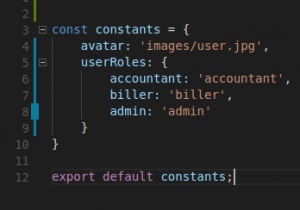
When building modern applications, developers often work with repeated values such as configuration settings, feature flags, or application constants. Hardcoding these values across multiple files can make the code difficult to maintain.
That is why developers usually define constants in a separate file and import them wherever needed.
Example:
import constants from 'path_to_file/constants.js'
This method works well when constants are defined on the frontend. However, sometimes these values are stored on the backend server and must be fetched using an API request.
In such cases, developers must ensure that these constants are loaded before any Vue components are rendered.
Many companies working with a custom web application development services provider adopt structured solutions like this to keep applications scalable and maintainable.
The Challenge with Backend Constants
When constants are stored on the backend, developers typically fetch them using an AJAX request.
However, simply requesting the data is not enough. The application must ensure that:
- constants are available before the app loads
- every component can access them
- the solution remains clean and maintainable
Writing the received constants into a file manually is not a practical solution. Instead, we can use JavaScript’s prototype-based inheritance to solve this problem.
Understanding Object Prototype in JavaScript
To understand this solution, we first need to look at function constructors and prototypes in JavaScript.
Each object created using a function constructor has access to its prototype.
Example:
/**
 * A function constructor
 */
function Person(firstname) {
  this.firstname = firstname;
}// Add method to prototype
Person.prototype.printFirstName = function() {
  console.log(this.firstname);
}// Create objects
let person1 = new Person('Munish')
let person2 = new Person('John')
Both objects created using the constructor can access the prototype method.
person1.printFirstName()   // Munish
person2.printFirstName()   // John
This prototype concept can also be applied in VueJS applications.
Developers working with a web application development company in usa often use such architecture patterns to build scalable front-end applications.
Using Vue Instance Prototype
We can fetch constants from the backend API and attach them to the Vue prototype. This ensures that all components can access the constants easily.
Example:
axios.get('http://SERVER_ADDRESS/getConstants')
.then(function(res) {  Vue.prototype.$constants = res.body.data;  // Initialize Vue instance after constants load
  new Vue({
    el: '#app'
  })});
In this approach:
- constants are fetched from the backend
- stored in
Vue.prototype - accessible across all Vue components
This technique helps maintain clean code architecture and reduces duplication.
Large applications developed by a SaaS web application development company often follow such practices to ensure maintainable front-end architecture.
Accessing Constants in Vue Components
Once the constants are added to the Vue prototype, they can be accessed inside any component using the following syntax:
this.$constants.someConstant
This approach ensures that the constants are globally available across the application.
It simplifies development and keeps the codebase organized.
Important Note
Ensure that your getConstants API endpoint is lightweight and fast.
The front-end application will not initialize until the API response is received. If the API performs heavy operations, it may delay the application startup.
Therefore, the API should only return constant values without performing complex computations.
Developers building scalable systems often work with custom web application developers who implement optimized backend APIs for better performance.
Conclusion
Managing constants efficiently is important for maintaining a clean and scalable codebase. When constants are stored on the backend, using the Vue prototype approach ensures that they are available globally across all components.
This method avoids repeated API calls, keeps the application architecture organized, and simplifies frontend development.
Modern businesses building scalable applications often rely on professional custom web application development services to implement efficient frontend architectures and API integrations.
Leave a Reply